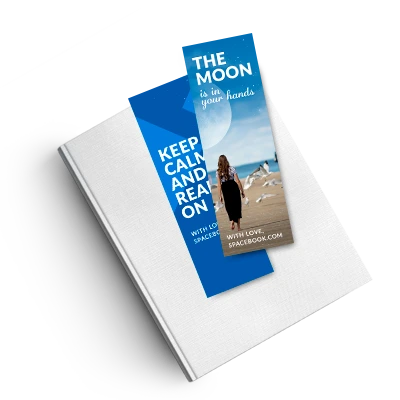
Frequently Asked Questions
1. What is the standard size for a custom bookmark?
Our custom bookmarks have a finished size of 2" x 6". This slim format fits comfortably inside most books while providing enough space for a design, message, QR code, or promotional offer.
2. What material are the bookmarks printed on?
Bookmarks are printed on sturdy 15pt premium cardstock. The heavier stock helps the bookmark feel durable and supports full-color photographs, illustrations, and branded designs.
3. Can I print on both sides of my bookmark?
Yes. Choose single-sided printing for a simple design or double-sided printing when you need additional space for contact information, a promotion, reading list, event schedule, or QR code.
4. What bookmark finishes are available?
Available finish options include Satin Matte, Full Gloss, and Spot UV. Pricing and availability may change depending on the quantity and other options selected in the product calculator.
5. Can I order bookmarks with rounded corners?
Yes. You can choose traditional square corners or rounded corners for a softer, more customized appearance.
6. What is the minimum bookmark order quantity?
The minimum available quantity is 25 bookmarks. Additional quantities are available up to 5,000, making the product suitable for small personal orders and larger promotional campaigns.
7. Can I create custom photo bookmarks?
Yes. You can upload photographs and create personalized photo bookmarks for gifts, memorials, weddings, author promotions, schools, or business campaigns. Use high-resolution images for the best result.
8. What resolution should my bookmark design be?
Artwork should be prepared at 300 dpi for the best print quality. CMYK color mode is recommended because it provides a more accurate preview of how colors may appear in print.
9. What file formats can I upload?
Accepted file types include TIF, PSD, PDF, PNG, JPG, EPS, and compatible AI files. Check the current upload specifications before submitting your artwork.
10. Do bookmark designs need bleed and safe zones?
Yes. Background colors and images should extend through the full bleed area, while text, logos, and other important elements should remain inside the safe zone. Download the appropriate start file for the exact measurements.